

You can configure the decimal precision by setting how many digits after the decimal point are written back to the Writeback table.
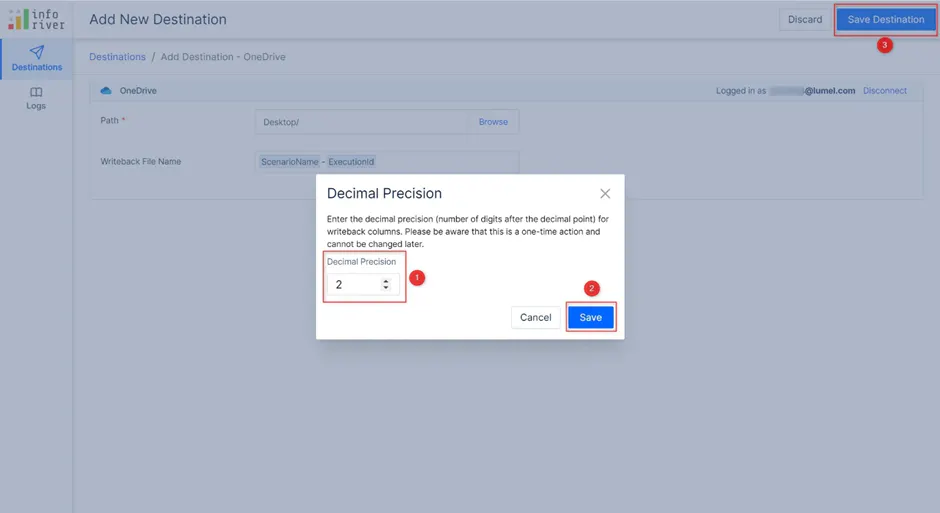
This is a one-time setup that will apply to all destinations configured for a particular report page. While configuring the first writeback destination, you will see a pop-up as shown below, to configure the decimal precision.
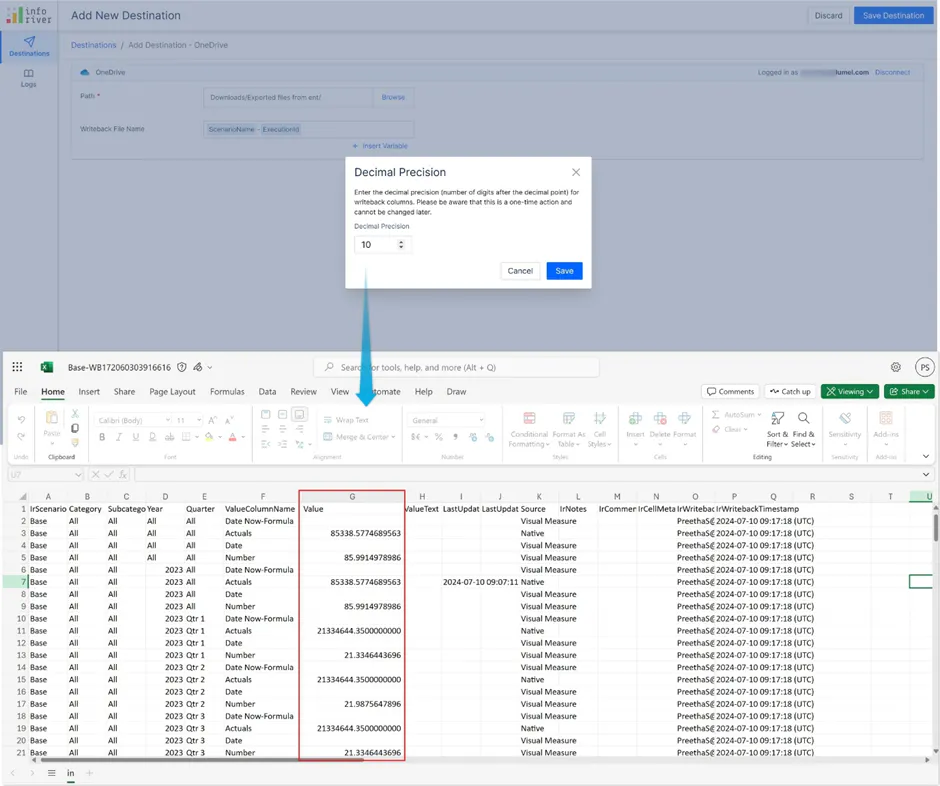
If you require high precision, you can configure Inforiver to write back numerical data with up to ten decimal digits. Any digits beyond 10 will be rounded off.
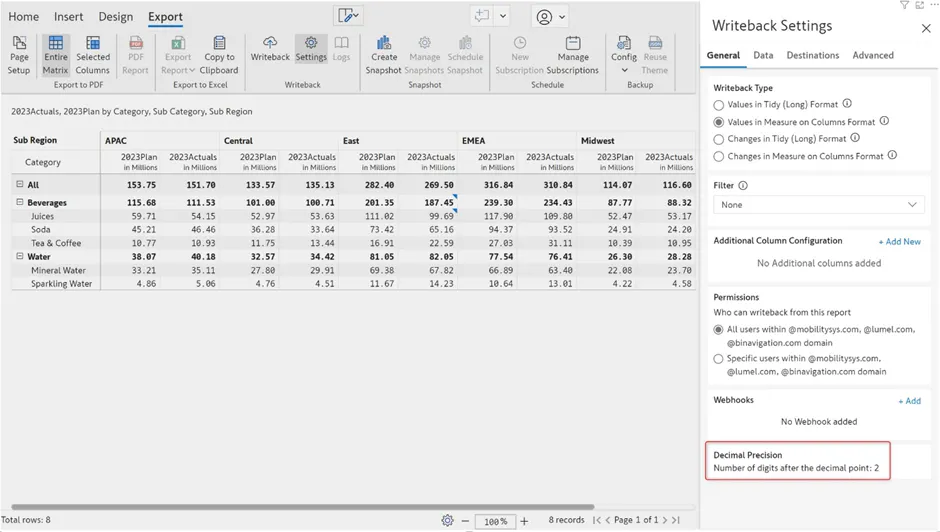
The precision that is set in the destination configuration is displayed in the Decimal Precision section.
Learn more about configuring writeback destinations.
Frequently Asked Questions
1. Can we edit or set the precision after the Writeback table is created?
Ans. No. Precision is a one-time setup configured only during the initial creation of the table. If you need to change or set the precision later, you must drop the existing table and create a new one.

