

As we working with aggregated data, it's important to understand how totals and averages are calculated. In the following screenshot, the overall total is derived based on the fórmula applied and the aggregation settings configured for each column.
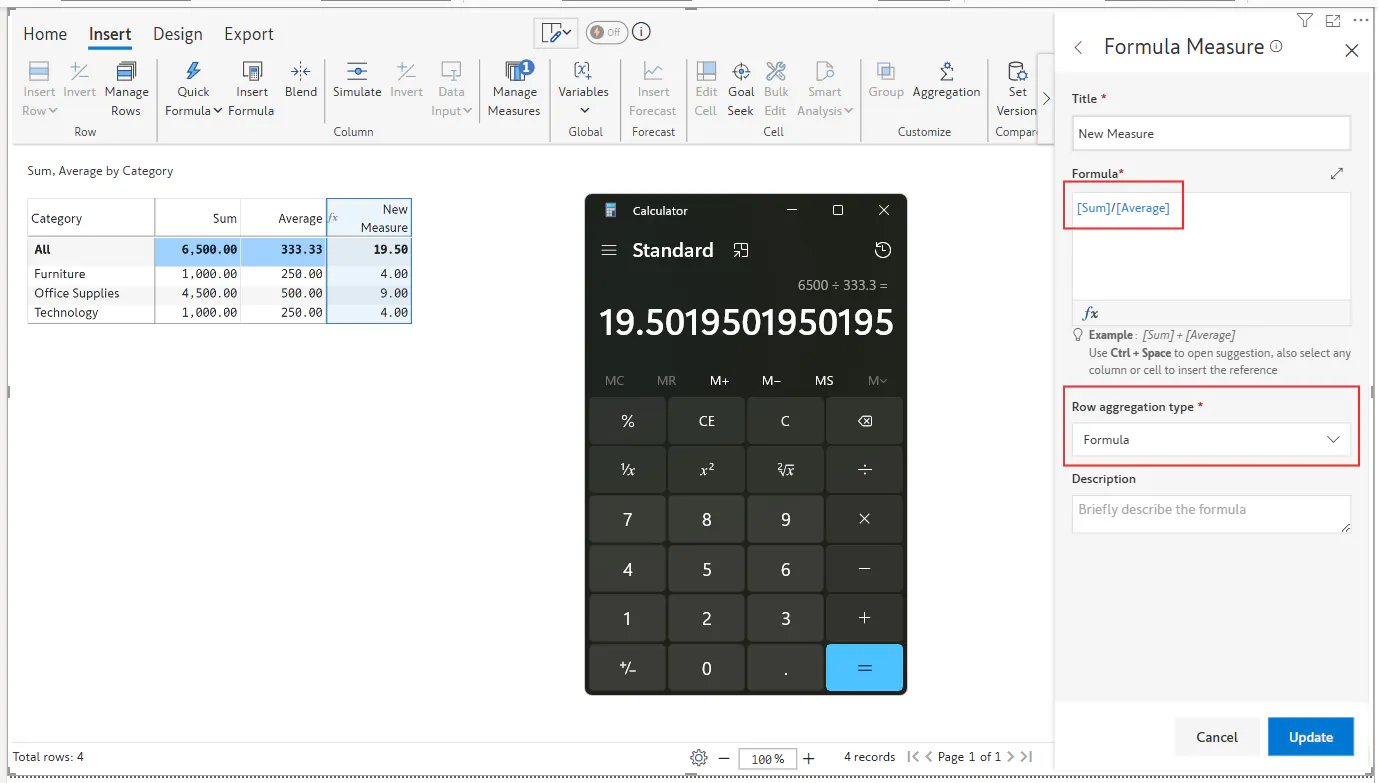
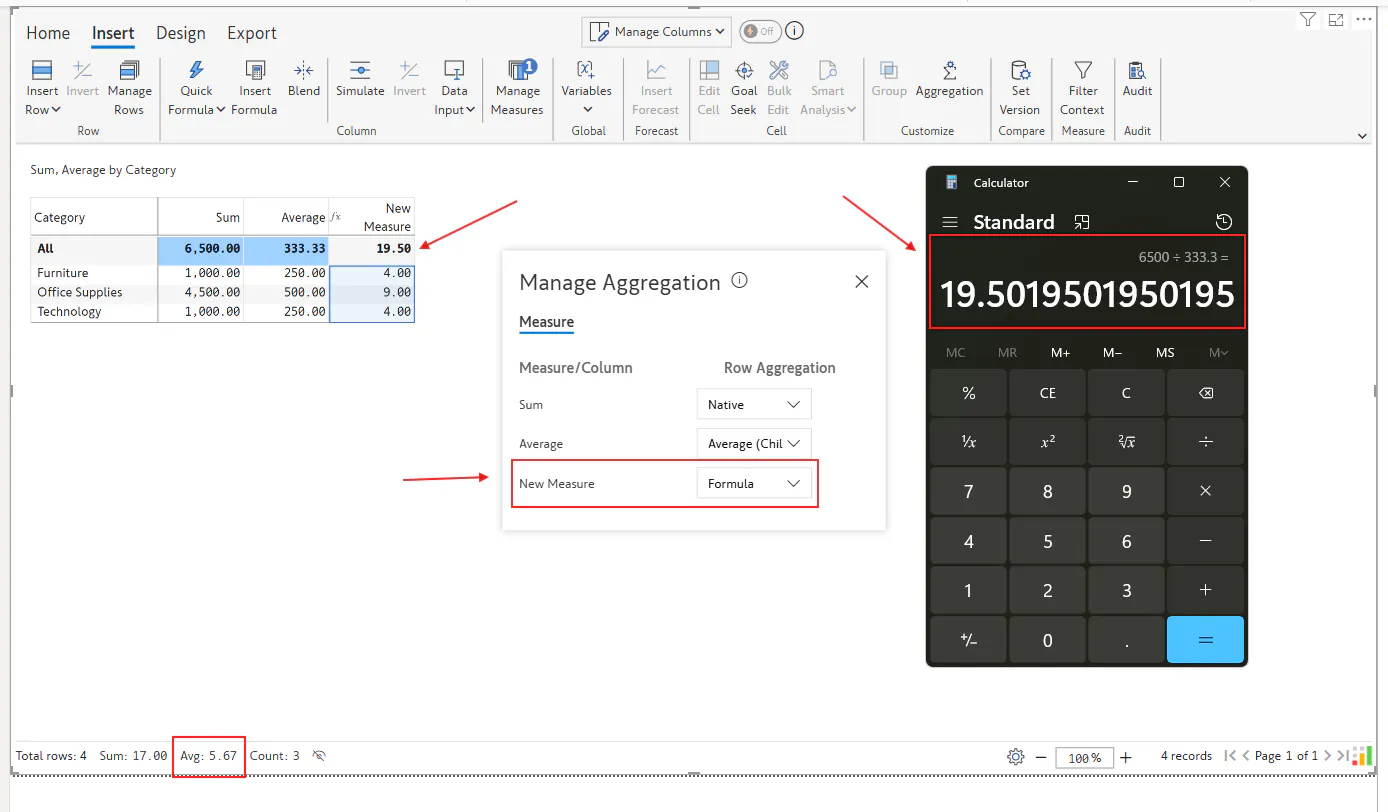
Note: Here the average shown in the footer may differ from the overall total average. This is because the footer average is calculated based on selected cell-level values, not the grand total.
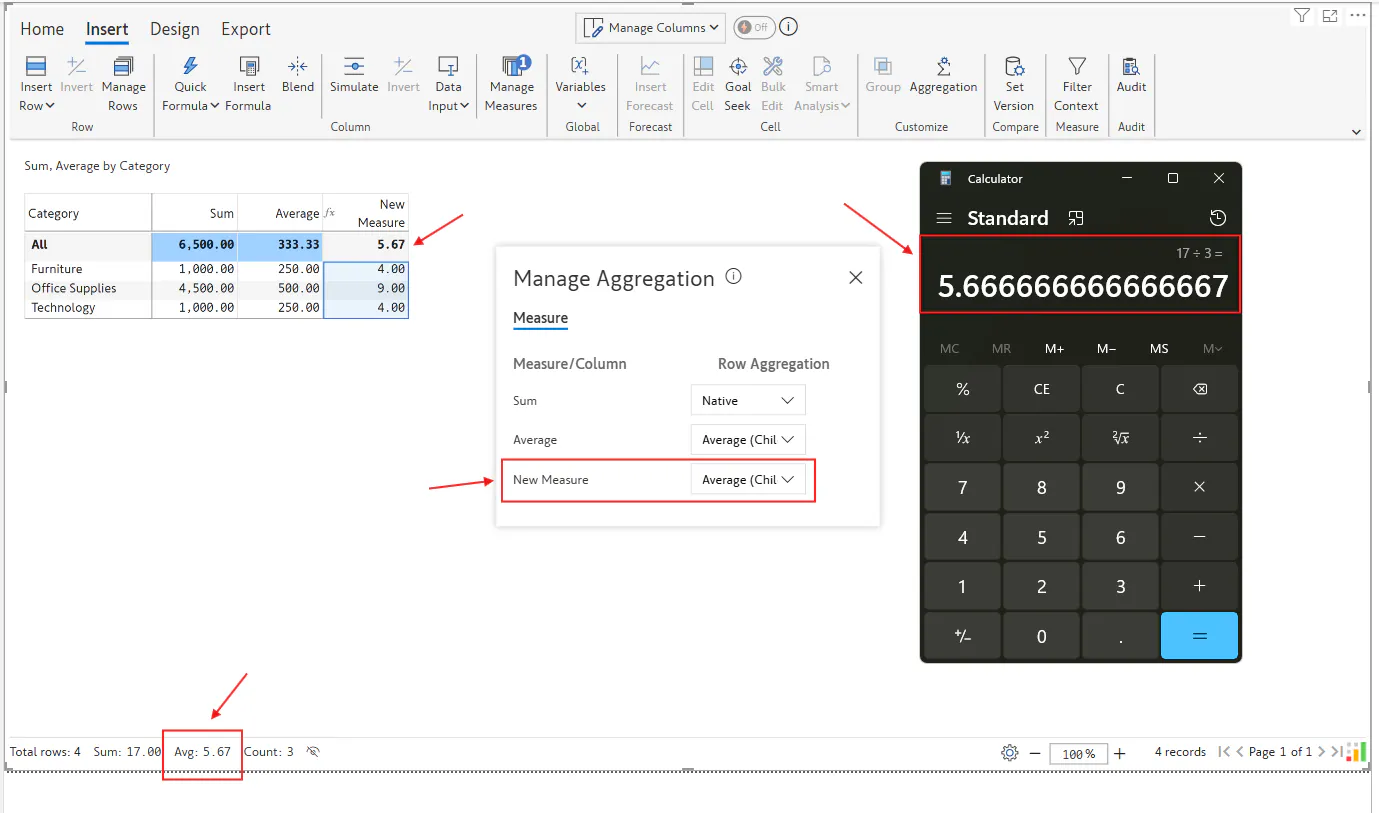
And if the aggregation type is set to Average, the system recalculates totals accordingly. This can lead to variations like the one highlighted below as where values such as 19.50 and 5.67 appear different depending on how the aggregation is applied.
For more details, checkout the docs: Manage aggregation | Inforiver
FAQs:
Why does the footer average differ from the overall average?
The footer average is based on individual cell-level calculations, while the overall average may be derived from aggregated totals.
Can I customize how aggregation calculated in my report?
Yes, you can configure the from Insert Menu -> Aggregation settings to suit your analysis needs.

