

Understanding trends, patterns, and performance over time within an organization’s data is a vital component of data analysis.
How to use Time Intelligence functions in Power BI
YTD – Year to Date
The Year-To-Date calculation is fundamental for tracking cumulative performance over the course of a year. It aggregates a metric from the start of the year up to a specified date. It is useful for analyzing metrics such as sales, revenue, or any other metric within the year, especially to track the cumulative performance over time.
To calculate YTD sales, we sum up the sales from January 1st to the Max date. We use the DAX Expression – TOTALYTD. Here is an example,

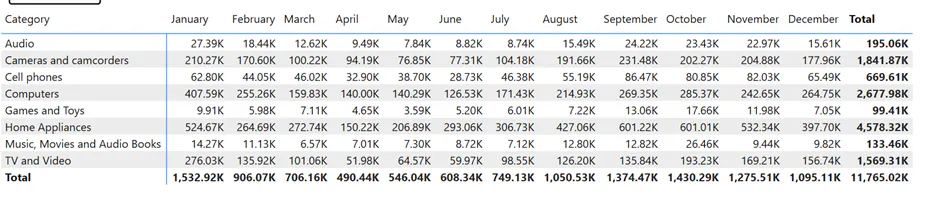
Example: Below shows Actual values from Jan to December.
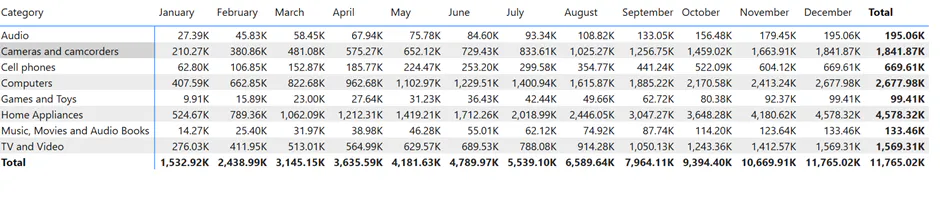
Once you apply PowerBI TOTALYTD DAX, you will get the cumulative sum for the Actual value.
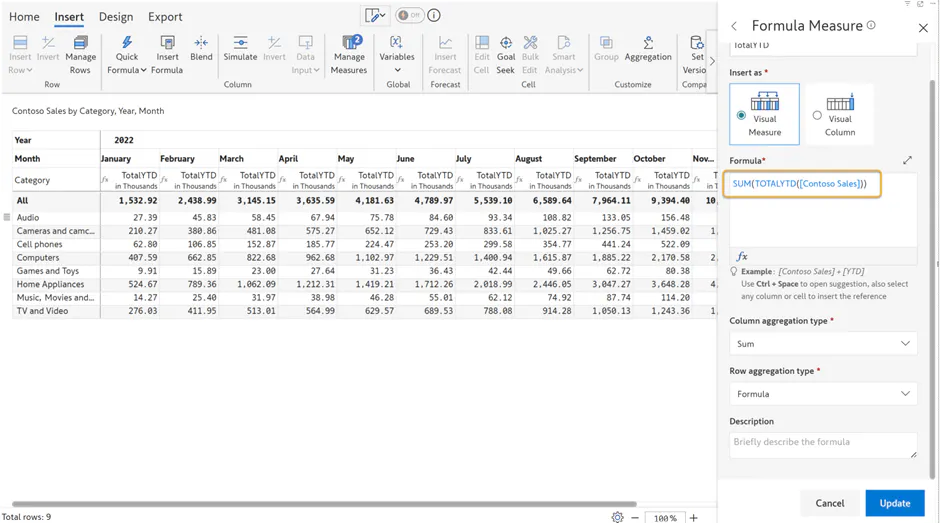
Inforiver enhances the capabilities of Microsoft Power BI through its advanced visual features.
The TOTALYTD function in Inforiver calculates the year-to-date YTD value of a measure within the current filter context (similar to Power BI’s TOTALYTD function). It should be used together with an aggregation function such as SUM or AVERAGE.
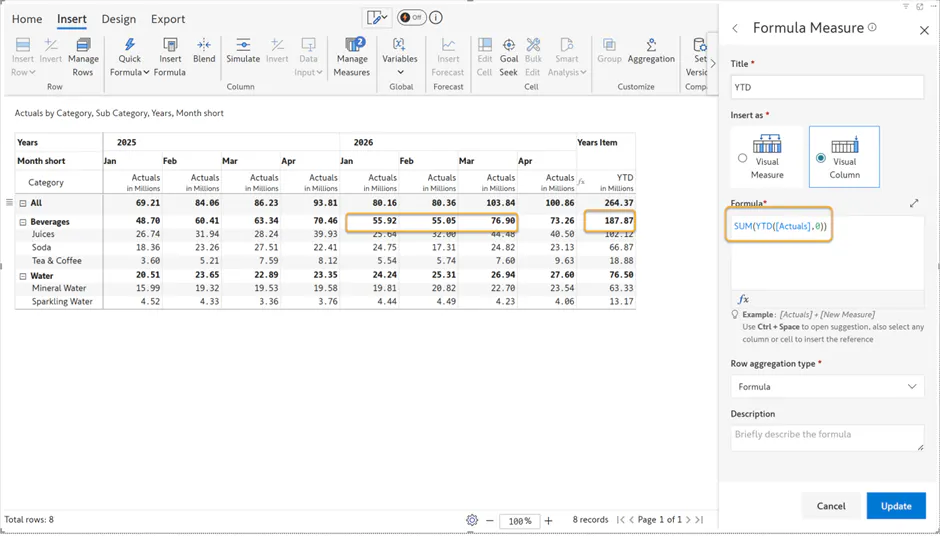
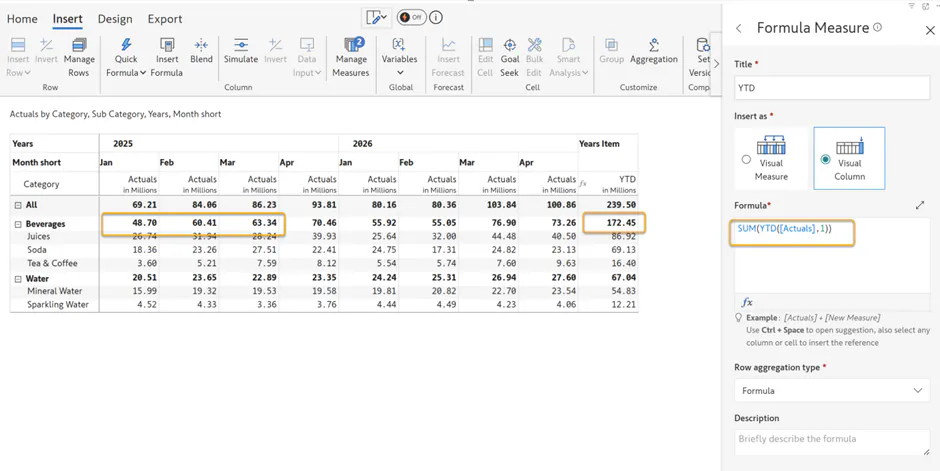
Inforiver also provides a YTD function that retrieves data from a specified measure for the current year. If an offset parameter is supplied, the function can return values from previous years as well.
For example, if the current year is 2026 and the current month is March, YTD will return the aggregated total from January through March, as illustrated below.
With an offset of 1, the YTD function returns data for the same period in the previous year.
For example, if the current year is 2026 and the month is March, applying an offset of 1 will return the cumulative total from January through March 2025.
Similarly, Inforiver also provides TOTALMTD, TOTALQTD, MTD, and QTD functions to calculate month-to-date and quarter-to-date values, offering flexible time-based analysis within the current context.
For more information, refer to Time-Intelligence Functions
Frequently Asked Questions
1. Difference between YTD and TOTALYTD
Ans.Inforiver TOTALYTD works the same way as the TOTALYTD function in Microsoft Power BI. It returns a cumulative running total that evaluates the year-to-date value of an expression, calculating the total from the start of the year up to the maximum date in the current context.
In contrast, YTD in Inforiver computes a single aggregated value for the specified period, rather than producing a running cumulative total.

