

As many users rely on custom number formatting to visually distinguish between positive, negative, and zero values in exported Excel reports. However, a common issue arises:
A matrix contains both positive and negative values in its measures.
The matrix is exported to Excel with custom number formatting applied.
When a user edits a positive value to a negative value in Excel, the negative formatting is not applied which leads to inconsistency.
To resolve this, we’ve enhanced the export logic to embed a complete custom formatting string directly into the exported Excel file. This ensures that all formatting rules, including those for negative values, are same as the original report.
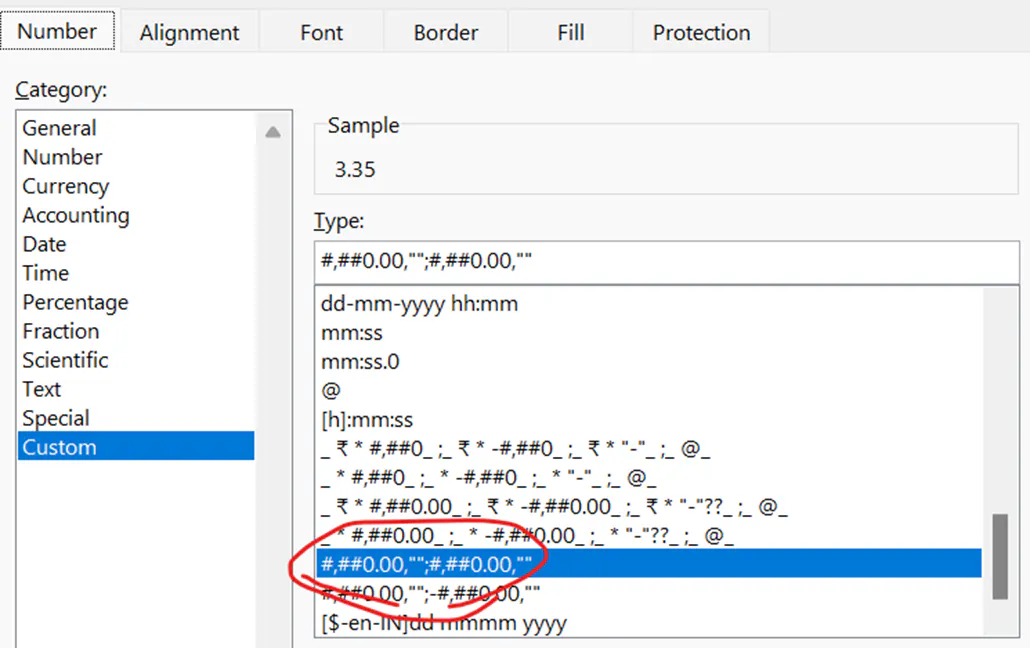
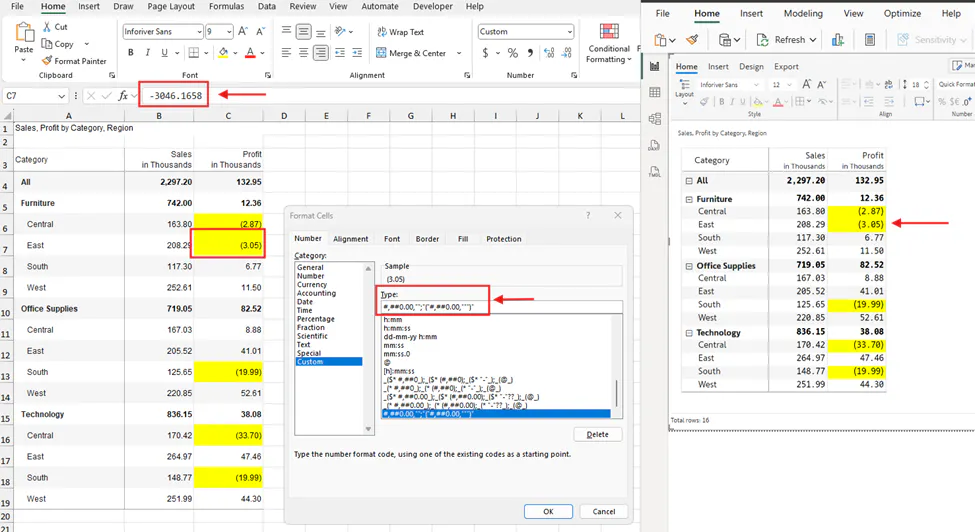
After changing the formatting of a number from Negative to Positive:
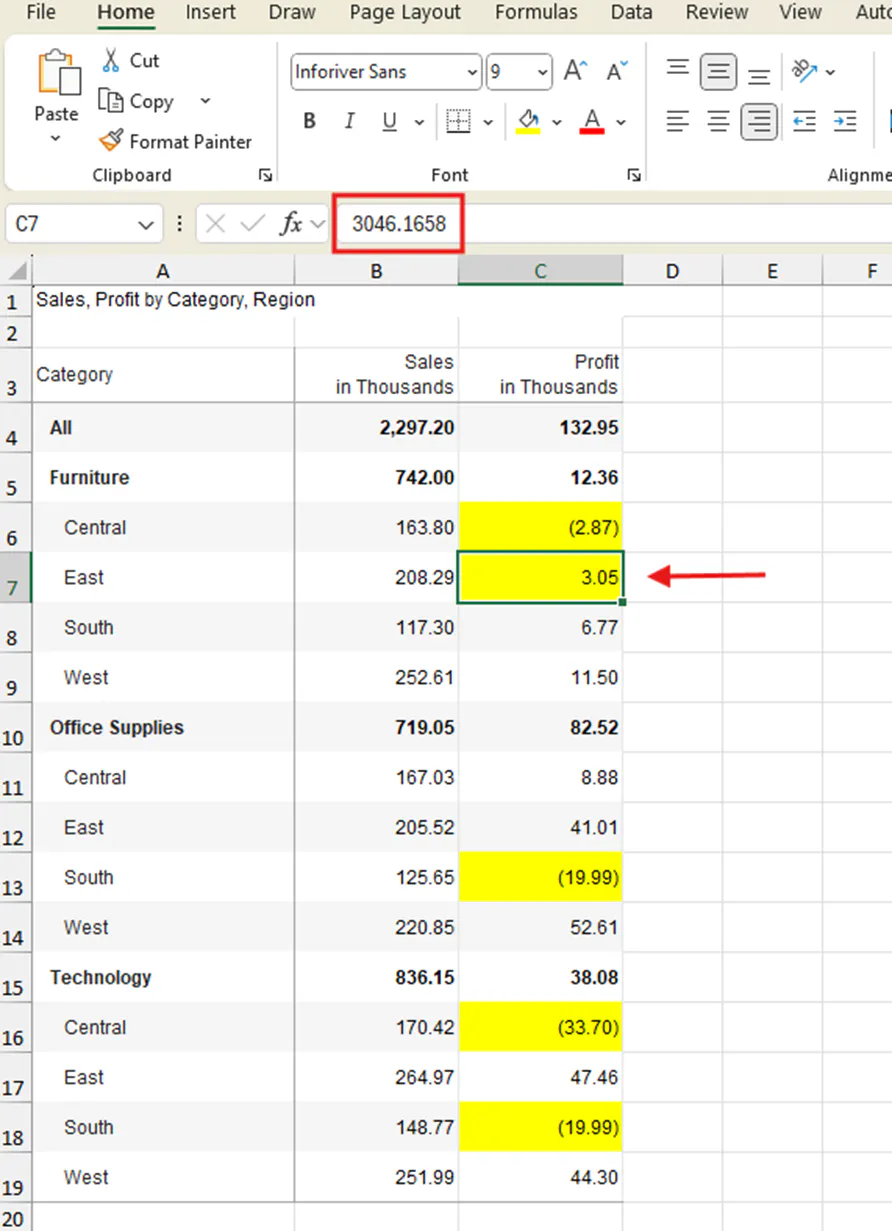
As it embedded this custom formatting directly into the exported Excel file, users can confidently edit values without losing the intended visual format.
For more details, check-out the doc: Exporting reports | Inforiver
FAQs:
How can I ensure negative formatting is retained?
The custom format string is embedded directly into the exported Excel file and explicitly defines how negative values should appear matching the original report.
Will this affect performance or file size?
No significant impact is expected. Custom formatting is lightweight and does not alter the underlying data structure.

