We can freeze upto specific rows or columns in Writeback Matrix. So instead of freezing only a single row or column we can now freeze upto certain row/columns in our reports.
Let us understand this with an example.
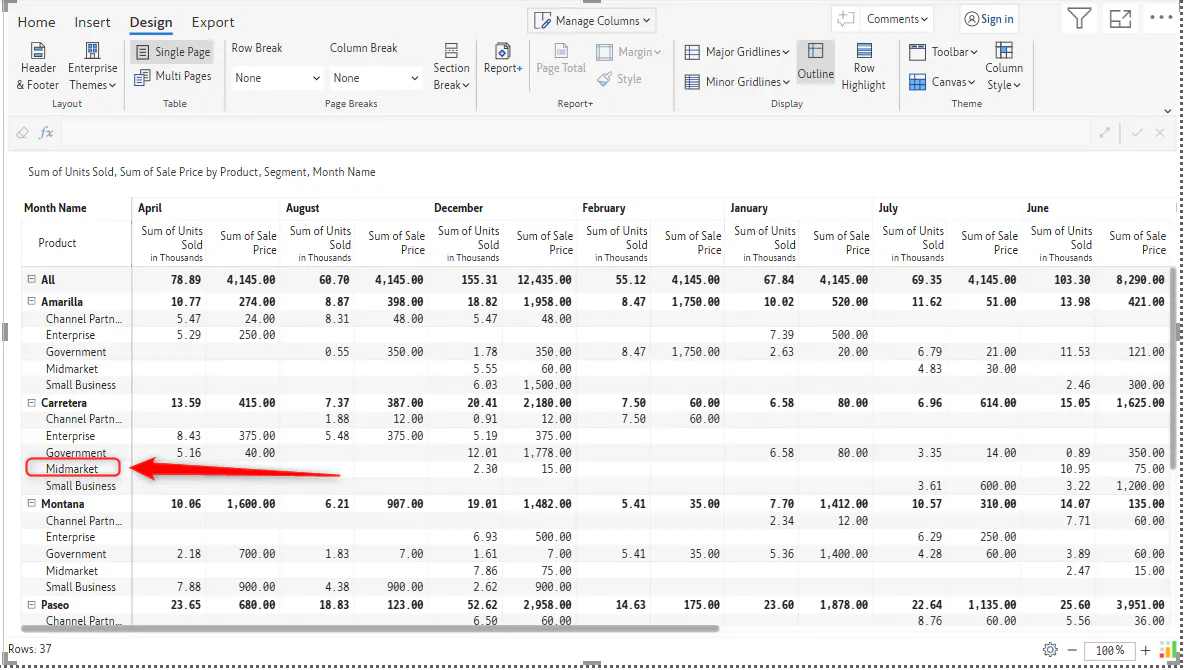
Below we have a sample report in which we want to freeze upto Midmarket under Carretera section:
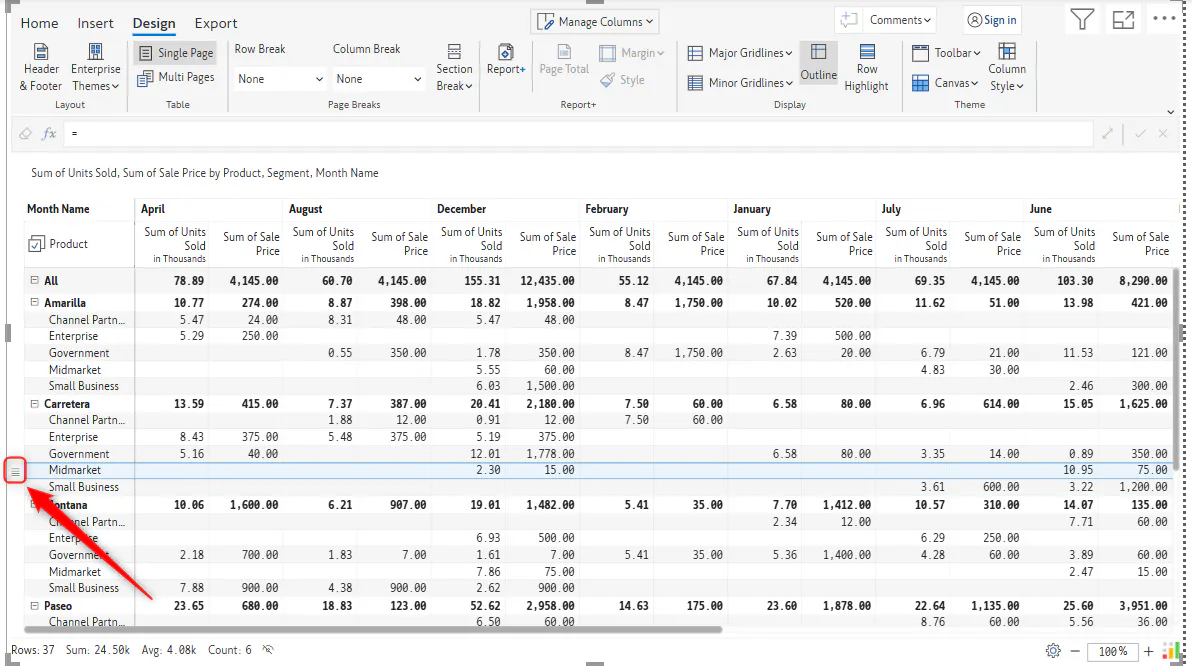
We can achieve this by going to row gripper in Midmarket:
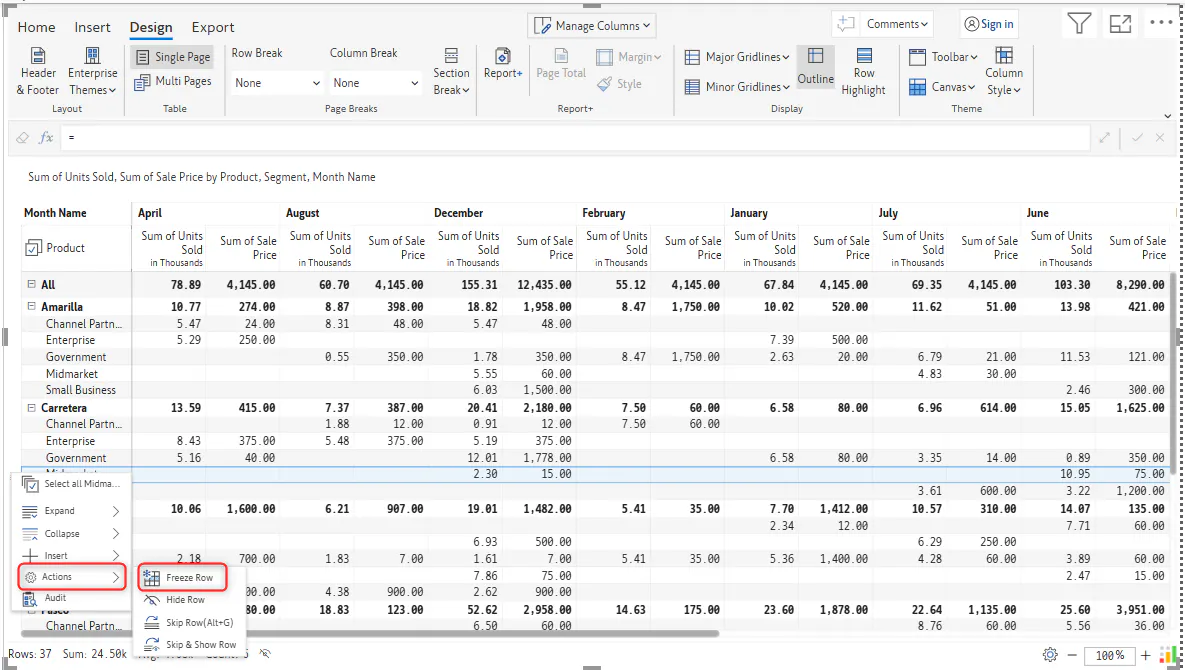
And go to Actions -> select Freeze Row
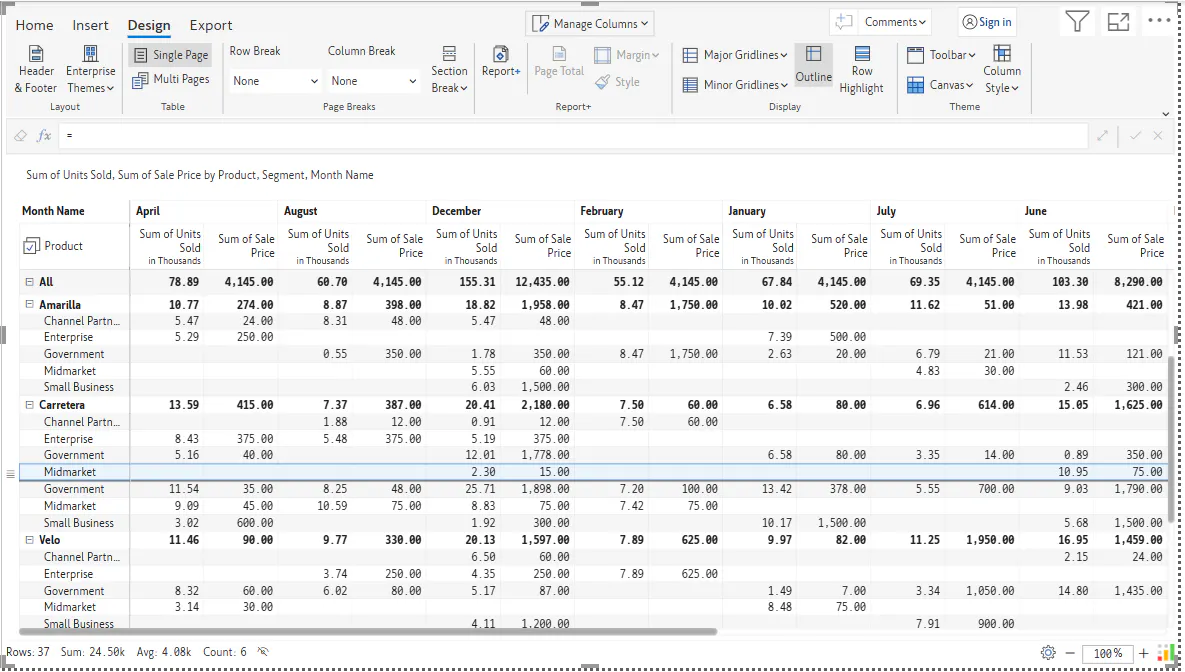
Now the report is frozen upto that point when we scroll down our report:
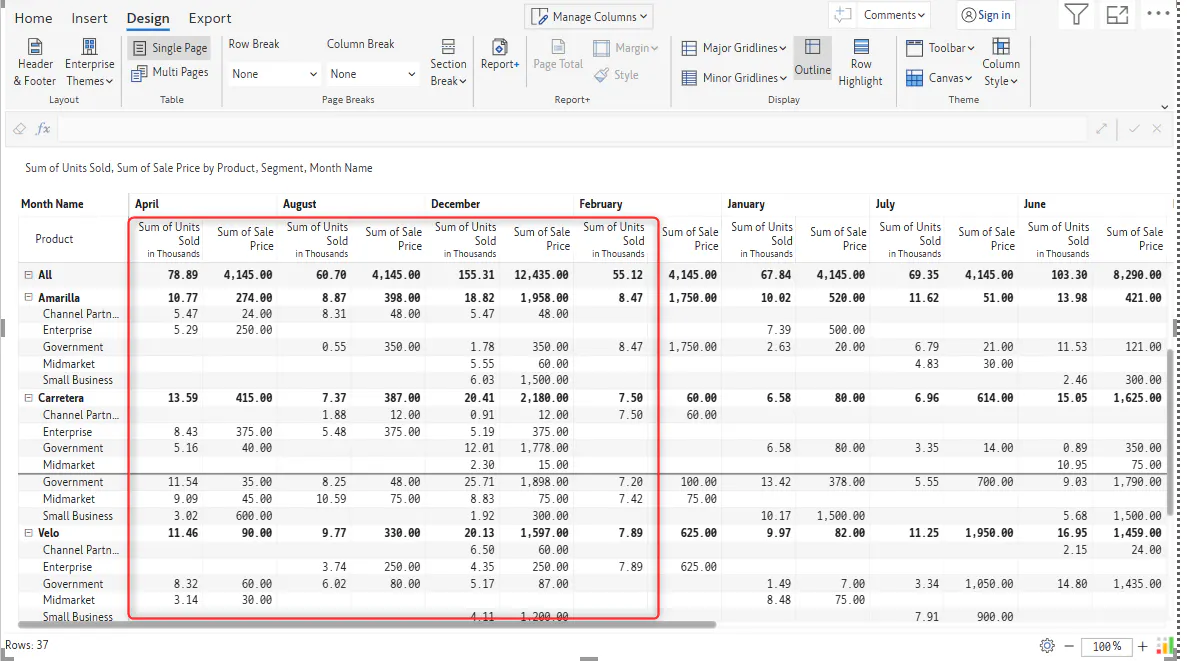
Similarly, we can do the same for Columns, so let us say we want to freeze upto Sum of Units Sold measure in the month of February:
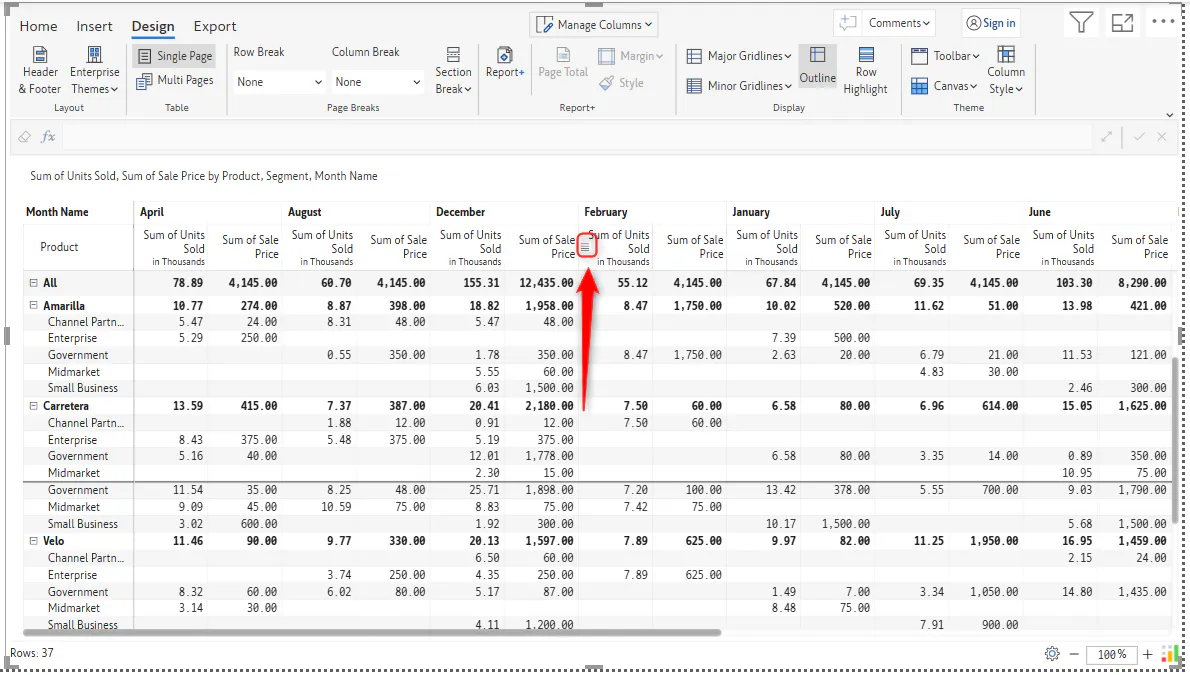
We can select the column gripper:
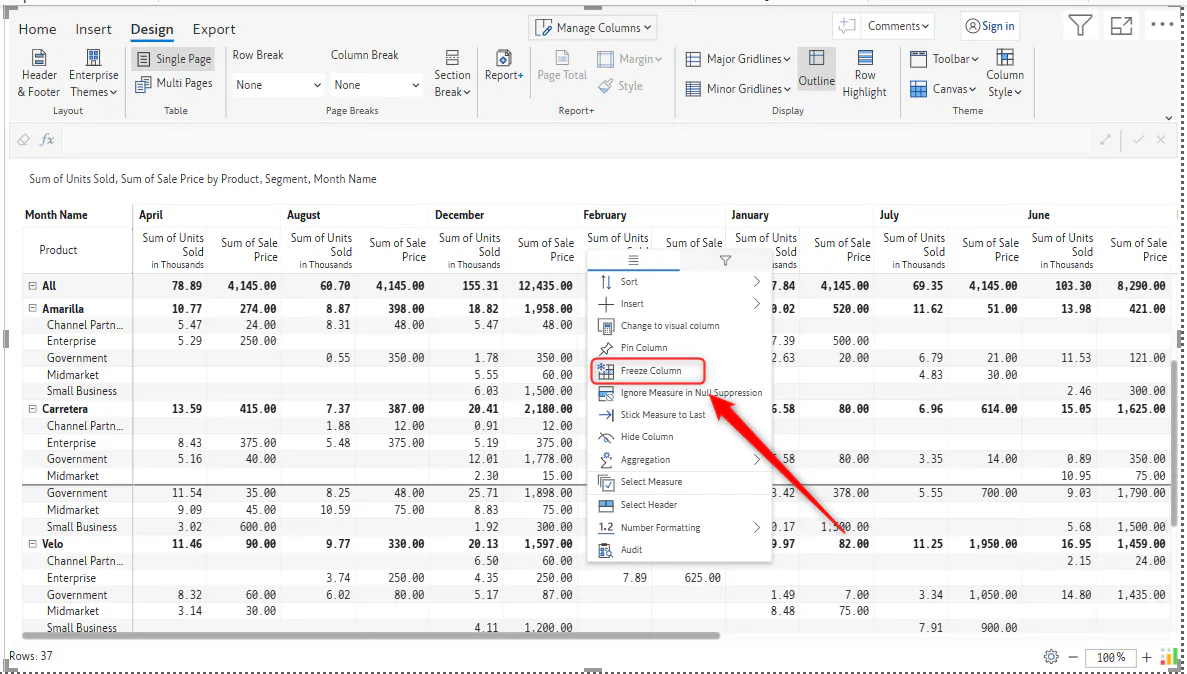
And select the Freeze Column option:
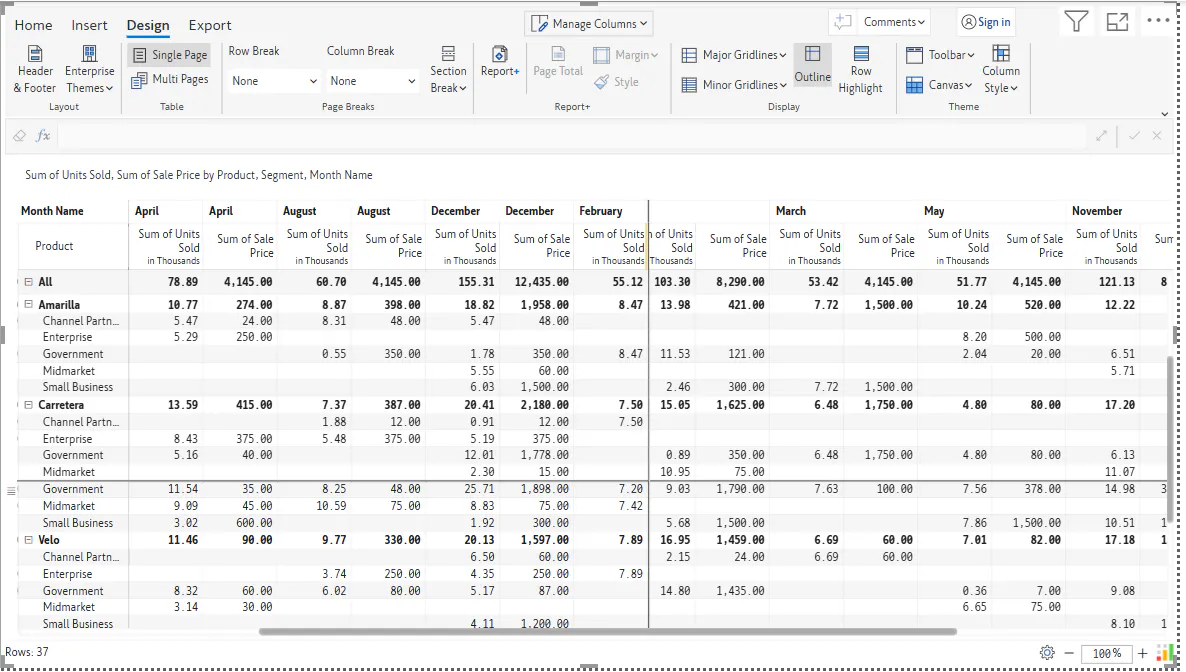
Now when scrolling from left to right the columns are frozen till Sum of Units Sold measure in the month of February:
FAQs:
Is this Freeze option available in Reporting Matrix?
Ans. No, it is only available in Writeback Matrix.
Are any limits in this feature, as in do we have any limits on upto how many rows or columns we can freeze upto?
Ans. No we do have any limits.