

Inforiver Editable visuals offer a smart and efficient way to capture “Last Updated By” and “Last Updated At” metadata automatically without requiring complex backend logic or manual input.
By using derived types such as LOGGEDIN_NAME and CURRENT_DATETIME, you can configure your visuals to:
Automatically record the username of the person making the change.
Stamp the exact time the change was made.
Ensure these values update dynamically whenever a row is added/edited.
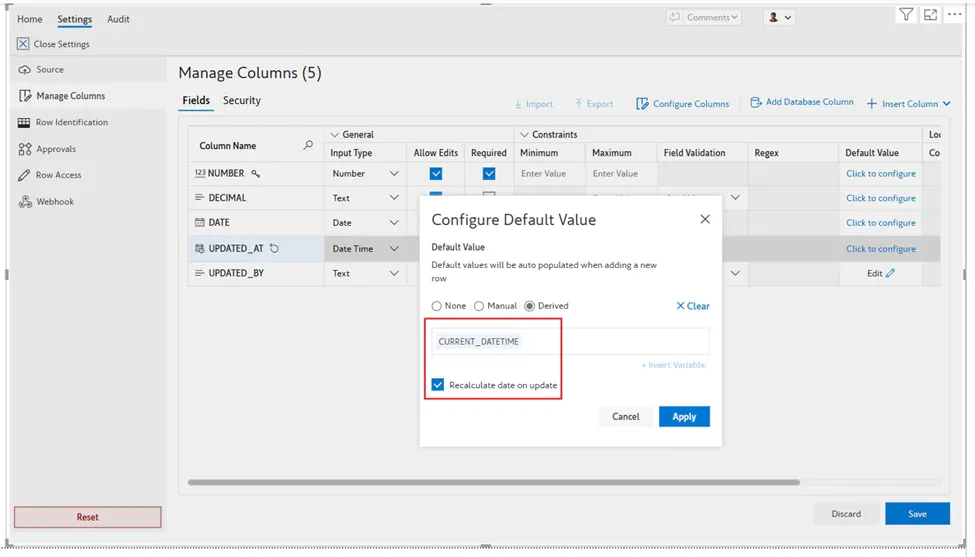
Last Updated AT: Captures the current timestamp using the CURRENT_DATETIME derived type.
Last Updated BY: Captures the logged-in username using the LOGGEDIN_NAME derived type
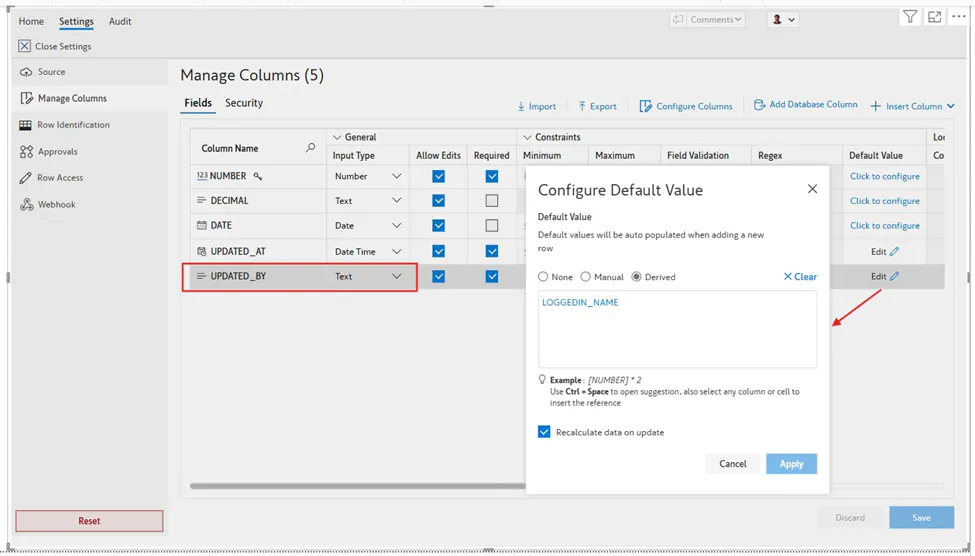
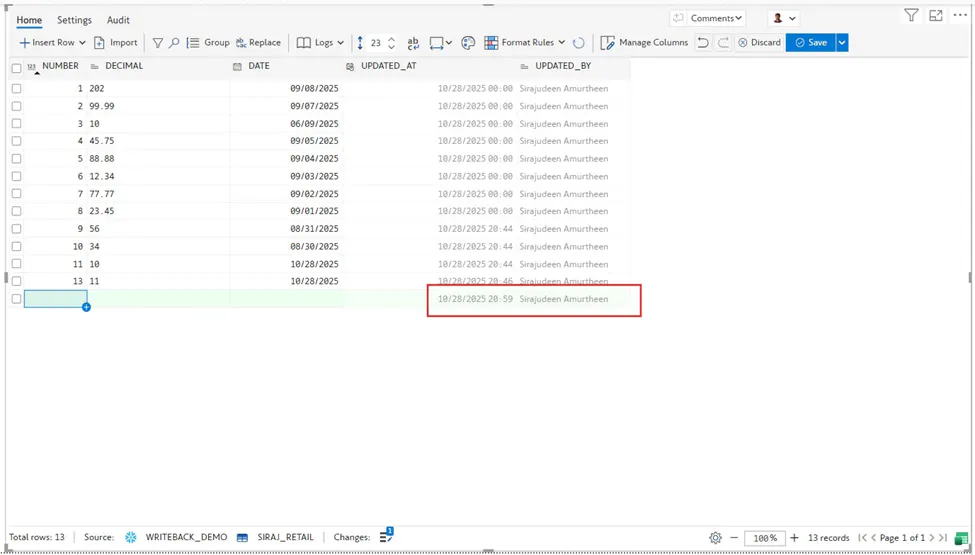
By configuring these derived types, you can ensure that both the username and timestamp are automatically captured whenever a row is edited. Once set up, these fields can be writeback to your database as helping maintain transparency and audit readiness across your reports.
FAQs:
What if multiple users edit the same row?
The most recent update will overwrite the metadata fields, capturing the latest user and timestamp.
Is it possible to hide the metadata columns from the visual while still capturing the data?
Yes. You can hide the columns by navigating to Manage Columns → Display → Enable “Hide Column”. This will remove the fields from visual view while still allowing metadata to be captured in the background, keeping the interface clean and uncluttered.

