Inforiver Performance mode users, this post is for specially for you.
Click here to read more about the Performance mode.
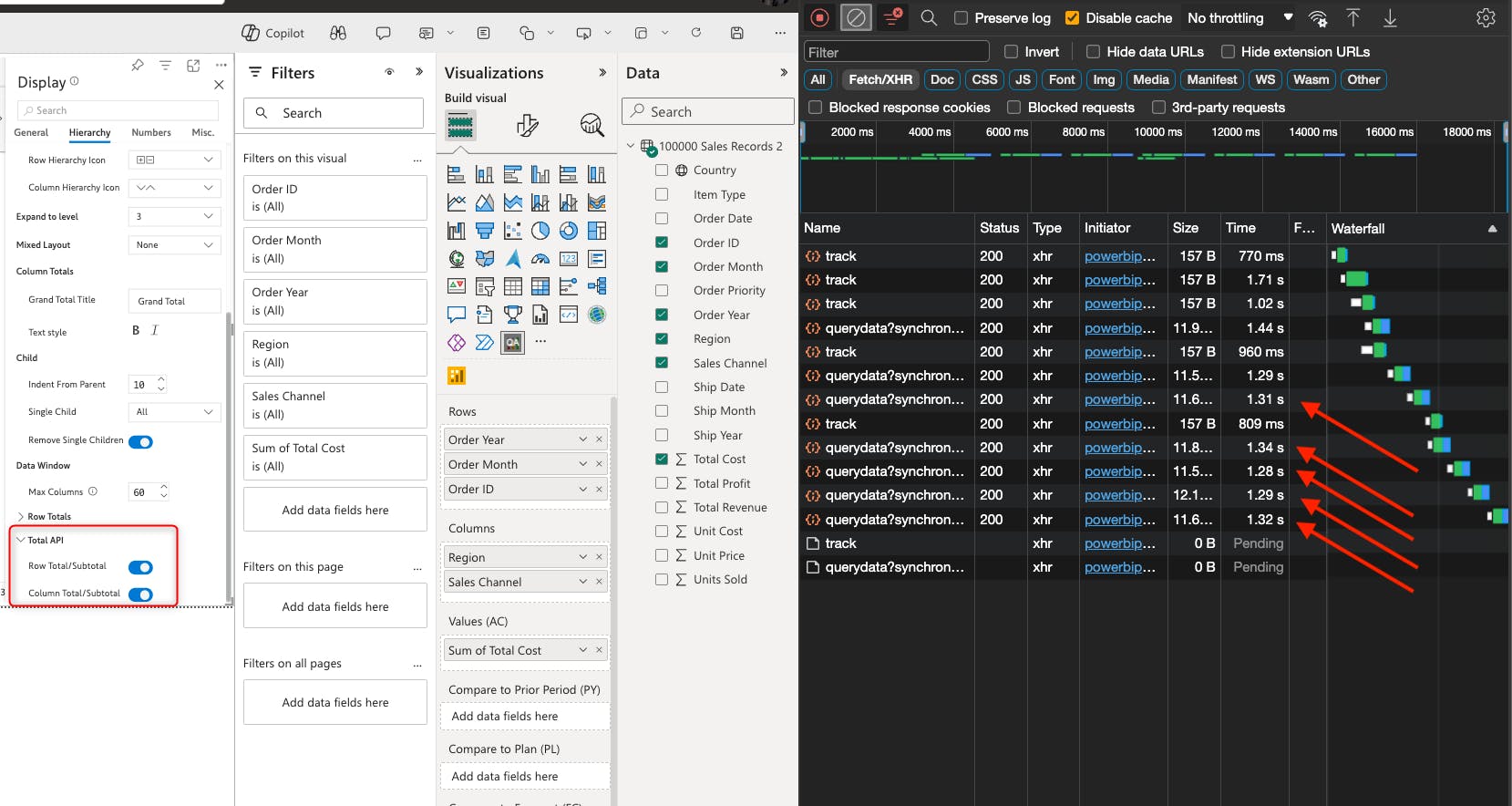
Inforiver pre-calculates the totals and subtotals for your data while loading the report. If your dataset is large and you do not require totals in your reports, you can substantially reduce the loading time of your report with the Total API options. Navigate to Display settings-> Hierarchy tab from Home tab, you can individually disable the row or column totals and subtotals.
Notice the time taken when Inforiver pre-calculates the totals and subtotals:
When the total calculation is disabled, large datasets can be fetched in milliseconds, as shown in the screenshot below.
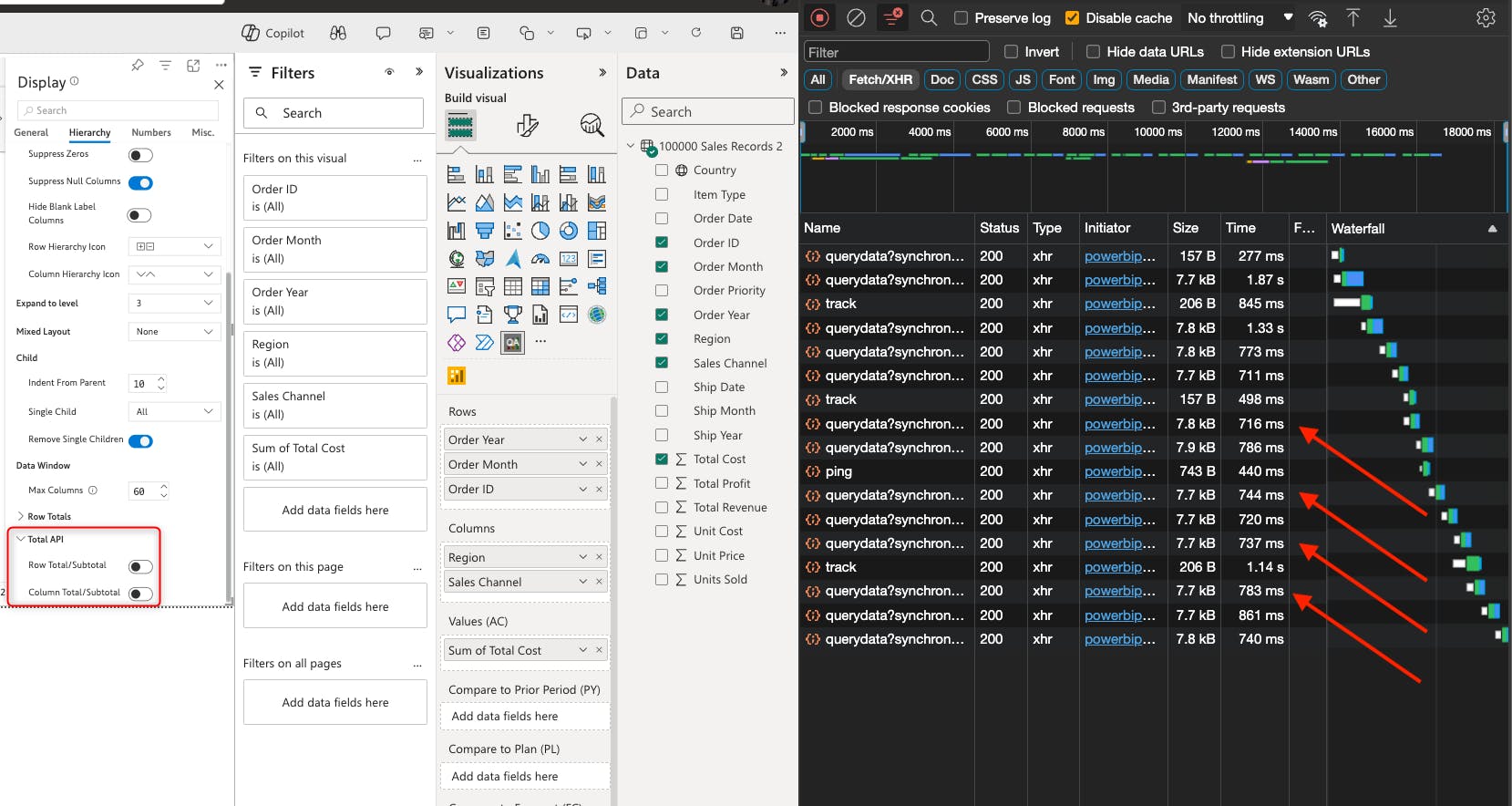
The totals and subtotals will be disabled by default(available in Premium Matrix 2.9) when you switch on the Performance mode.
You may choose to enable it from Home-> Display settings-> Hierarchy tab to bring back the totals and subtotals.
Should you have any questions or feedback, feel free to post it in the comments section.