Inforiver does allow to customize the date format in your axis.
How to set custom format?
Step 1: Goto Visualizations pane-->General-->Data Format
Set Appy Settings to the date dimension added
Set Format Options to the desired format
Step 2: Click Home-->Settings-->Canvas
Disable the Axis default date format as shown in Figure 1.
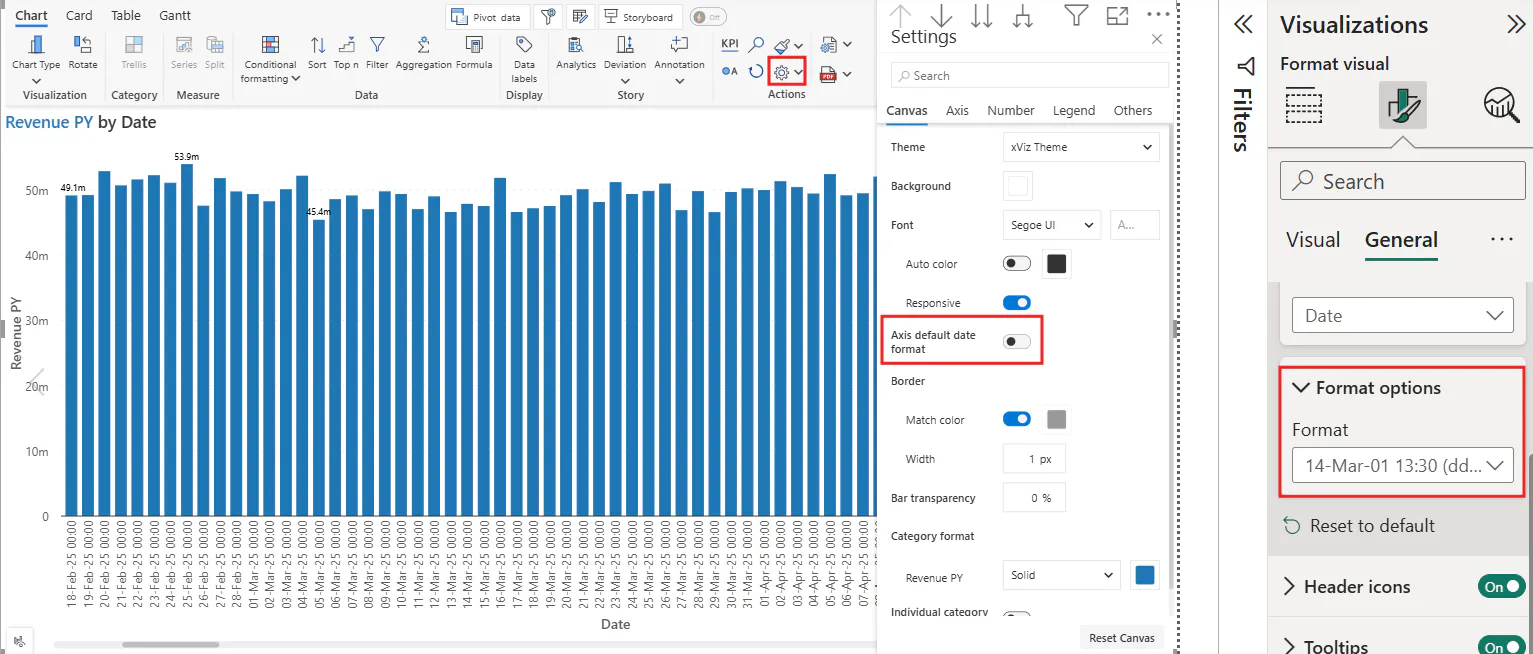
Figure 1: Customization of date format in Axis
You may choose to revert by enabling the Axis Default date as required.
FAQ:
Does this customization work in read mode?
No, it works in Edit mode.
Does it work for Date Hierarchy?
No.
Should you have any questions, please feel free to post in the comments section.