

Handling long text in Gantt Charts is effortless with this word wrap feature.
You can activate it by turning on the ‘Enable dynamic row height’ toggle located under Settings -> Canvas -> General. This option is disabled by default.
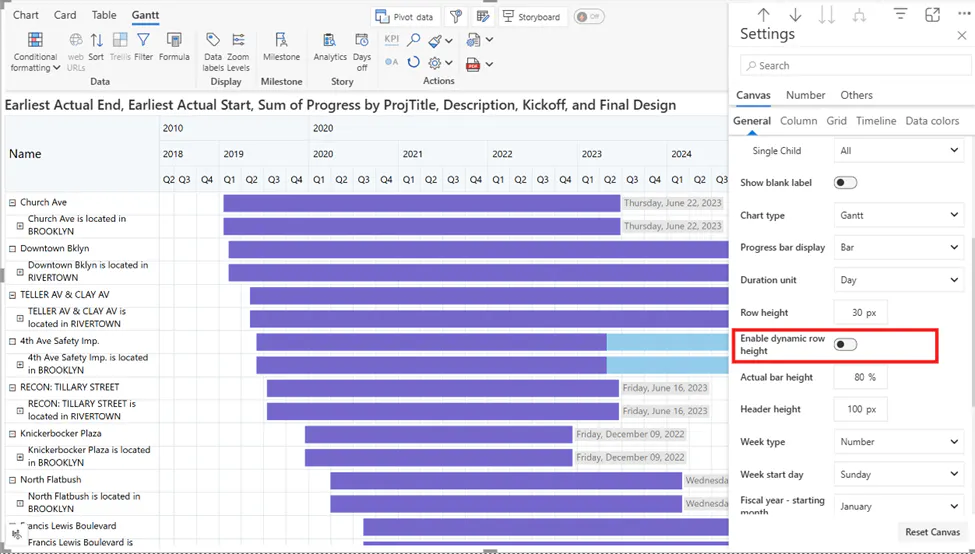
Once enabled, cell heights automatically adjust to wrap lengthy text and data labels, ensuring your chart stays neat, compact and easy to read as shown in the screenshot below.
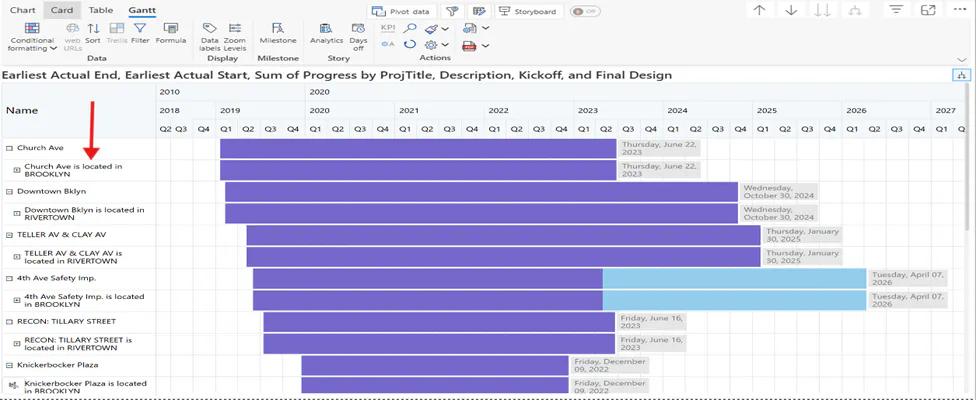
Activating this feature unlocks two more settings as follows:
Outside Label width – This defines the width used to wrap the data labels placed outside the row. The default value is 100, with a minimum of 20 and a maximum of 1000.
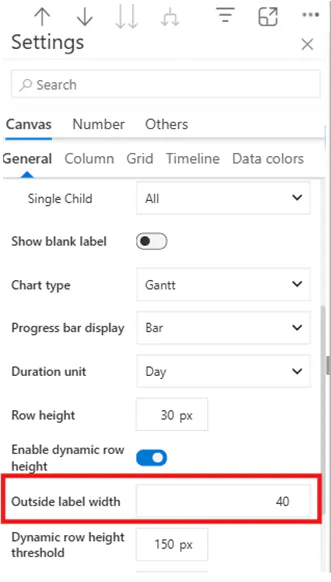
For example, setting the ‘Outside label width’ to 40, reduces the width of the data labels, and the cell height adjusts accordingly as shown in the screenshot below.
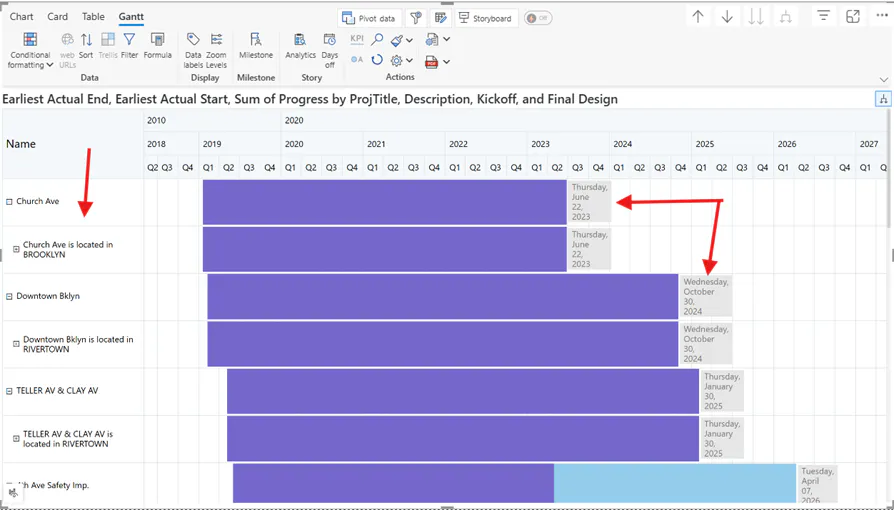
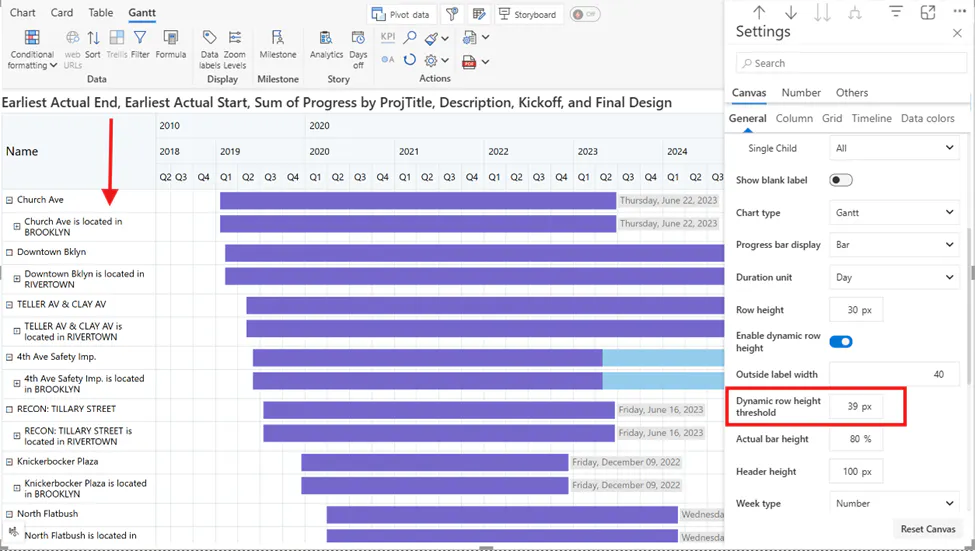
Dynamic row height threshold - This setting lets you define the maximum row height in pixels, ensuring rows don’t become excessively large.
For example, setting the Dynamic row height threshold to 39 px, reduces the row height, and wraps the text accordingly. The maximum value allowed is 300 px.
Hence, this simple feature ensures long text is neatly wrapped, making your Gantt Charts clear and easy to read.
Want to learn more about Gantt Charts? Click here.

